How often do you hear that little voice in your head that tells you that you aren’t quite good enough? Hourly, daily, weekly?
If you’re like most people, you probably hear it all too often and it is having a significant impact on the quality of your life.
Negative self-talk can severely hinder your progress in life and decrease the chances of you ever achieving your goals. And do you really want that for yourself? I doubt it, and you will be glad to hear that you can do something about it, starting today.
There are ways that you can turn that doubting inner voice into a positive one and I have complied a list of them below.
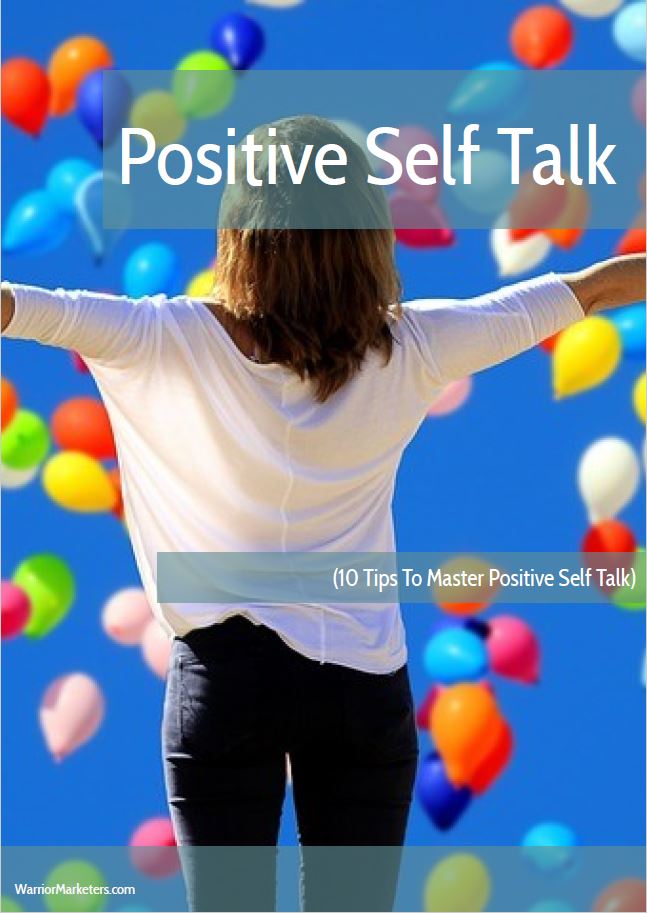
Follow these ten simple tips and you will be able to turn things around and create a new positive, helpful voice that will help you to build your confidence and change your life for the better and it’s not as difficult as you may think.
1. Use Affirmations
Using positive affirmations can help program your mind to speak in a positive voice more often. They are positive statements written in the present tense.
You should say them out loud first thing in the morning when you wake up and just before you go to sleep at night as these are the times when your brain is at its most receptive.
Regular repetition throughout the day will reinforce the positive messages and help them to become second nature. Don’t underestimate this simple practice, as you will find that many successful people practice affirmations, so there must be something in it, right?
2. Be Aware
You really need to be aware of that voice that you are hearing in your head. Listen to what it is saying and how it is talking to you.
If it is constantly negative, then you need to take action to turn it into a supportive and positive voice. Listen carefully and when you catch a negative thought turn it into a positive statement instead. It is all about training yourself to focus on the positive, rather than the negative; do that and you can train your inner voice to work for you rather than against you.
3. Meditate
It’s a simple fact that regular meditation can help you develop greater control over your thoughts and emotions.
It will teach you how to listen carefully and to quieten your inner voice.
This will help you create a sense of calm and peace, which in turn reduces stress and anxiety.
As you gain greater control over your mind you will be able to silence the negative voice when it starts to speak. Meditation, along with awareness can quash your negative voice for good.
4. Practice Gratitude
Take time every day to think of at least three things you are grateful for.
It’s all too easy to lose yourself in the negative aspects of the day and to give in to the negative voice in your head.
Instead focus on the positive and be grateful. Write them down in a journal so that you can remember them and revisit them if needed.
If you want to know more about using gratitude in your life, you can download a free report about Positive Self Reflection here: warr.pro/PosSelf
5. Change Your Perspective/Focus
It’s all too easy to think about all the things that can go wrong, and these thoughts can easily take over in times of stress or anxiety.
But, instead of thinking of all the negative outcomes stand back and look at the situation from a different point of view.
This can shift your perception dramatically and make you feel better instantly.
6. Distance Yourself
Create some distance between yourself and your emotions. An effective yet simple way to do this is to think in the third person.
So instead of saying to yourself, “I’m really angry with myself because…”, say, “You’re really angry. Why?”
By creating psychological distance, a study by Ethan Kross, PhD of the University of Michigan found that participants were able to regulate their emotions and reduce discomfort, probably because the conversation wasn’t about “me” but rather about “you” which is a subtle but powerful difference.
7. Say, “I don’t”
One simple change you can make is to use the phrase, “I don’t,” instead of, “I can’t”. By saying “I don’t” you are taking responsibility and ownership of your thoughts.
If you are trying to lose weight then instead of saying, “I can’t eat cake” say, “I don’t eat cake”. The power of this approach was found in a study by Vanessa Patrick at the University of Houston.
8. Hire A Professional
By investing in professional help, you will have the benefit of mentoring and accountability.
These professionals are able to use a range of tools to help change your subconscious mind and remove blocks, change language and thought patterns and create new positive habits and behaviour.
There are numerous options including NLP (Neural Linguistic Programming), Coaching or Hypnotherapy.
9. Move Your Body
Body language can have a massive effect on your state of mind.
I once heard Tony Robbins state that “Emotion follows motion” so you can use your physical body to change your mental state dramatically.
Changing your body language can change your outlook and increase your sense of positivity and self-confidence. Stand or sit up straight with your shoulders back, hold your head high and smile. When you do this, you will find it almost impossible to feel miserable.
10. Use Oracle Cards
What are Oracle Cards you may ask?
Well, Oracle Cards are a really useful tool to help you connect with your subconscious and also to create change in your life.
They include positive inspirational images, affirmations and ideas about how to create change.
Pick a card each morning to guide you through the day creating positive change. If you don’t want to use the cards yourself you can get a reading done by a professional oracle reader; many of whom are also coaches, Neuro Linguistic Programming Practitioners or hypnotherapists.
Well that’s it. 10 tips to bolster your positive self talk.
Put them to use and inner peace can be yours. I’ve also put some actions steps below, so why not try one of them and start experiencing it right now?
3 Actionable Steps You Can Do Right Now!
1
2
3
Stand up straight, hold your head high, shoulders back and smile. Feel your self-confidence grow.
Contact a coach, Neuro Linguistic Practitioner or hypnotherapist. Many give a free initial consultation.
Take a break, sit, breathe and enjoy the moment. Finish by saying, “I can and I will.” Take action.
So, you have decided to use a blog to help you with building your business, expert status and brand awareness. Good for you; this is a wise decision.
However…
Here’s the truth about 6-figure blogging:
While blogging can be automated (eventually), you shouldn’t expect income to be passive from the beginning; this is simply unrealistic and a mistake that many aspiring entrepreneurs/bloggers make. You’ll have to work at it, especially when you are just starting out and trying to launch your blog and build a platform that you want to be recognized for in your market.
When I first started blogging, I was spending 30-50 hours a month creating content, converting visitors into email subscribers, and selling products and services (none of which I created myself – I started by focusing entirely on affiliate marketing i.e. I was promoting other people’s products for a commission. I did this because it was -in my opinion- the quickest way to be able to monetize my content).
While I eventually outsourced a lot of my content to skilled writers, I still spend time evaluating advertising options, reviewing products that I can promote, building my mailing list and creating ad campaigns to boost traffic and keep my blogs in the forefront of my audiences’ mind.
The point I am trying to make is, while you can delegate many tasks to a team, such as content creation and even marketing, you will want to be directly involved in the initial building phase.
This is your brand, after all.
You need to make sure every piece of content has your voice, carries your message and represents your business in the best possible way.
No one will ever be as careful and professional with building your blog as you will be, right? So, dig your heels in and commit to spending the first few months building your blog from the ground floor up.
Then, and only then, should you begin to think about creating a team that will help you manage your blog and eventually, expand into other avenues with other niche-based blogs (if you choose to do that).
Again, you really need to understand that blogging is not a hands-free method of making money during the INITIAL stages. You must be prepared to put in some time and effort if you truly want to succeed.
But the good news? Your hard work will pay off.
So, how can you start blogging? Well, it is very simple to start and there are 5 distinct phases to getting your new blog up and running.
If you want to have a surefire way of setting up your blog the right way, grab a copy of my FREE “Starting A Blog Checklist”
Like I said, setting up a blog isn’t difficult and can be done by pretty much anybody. Yes, there is a bit of “tech” involved but it isn’t too hard to work out yourself (Google can be your friend if you do get stuck).
While there are countless reports and articles that over-complicated the process of making money with blogging, here’s a basic overview of how it’s done:
1: Create a blog and register a memorable domain.
Avoid remotely hosted options. You need to be in full control of your website so you can take advantage of all the different revenue options with no limitations (or other people’s advertisements). You need to buy hosting and you have a number of options (such as A2 or Siteground) so shop around for the best deals. You will also need to pick and buy a domain name and I suggest Namecheapfor these. WordPressis the most popular blogging platform by far as it is free and incredibly customizable by the use of plugins and themes. My favourite theme is Socrates(it is a paid theme, but it is so versatile and quick and you will always get much better support with a paid theme as opposed to a free one, but the choice is yours).
2: Write (or outsource) killer content that will generate traffic.
This content needs to be extremely high-quality, targeted and informative. All meat, no veggies.
A good place to find writers is Iwriterand the thing I like about it is that you can see the article first before paying, so if you don’t like it you can reject it.
3: Convert your visitors into email subscribers so you can build your list.
A newsletter is key in building a successful blog online.
Scratch that; a newsletter is essential to be successful in nearly ANY market online. You will never make as much money without one.
Build rapport and trust. Nurture relationships with your market. This is where you can build a recognized brand as an authority in your market and set yourself apart from the competition (especially those bloggers who aren’t doing this!). To do this you will need an email autoresponder. Popular ones include Aweber, GetResponse, and my personal favorite, Active Campaign.
5: Sell products and services to your audience
This is a key strategy for monetizing your blog and also your newly cultivated newsletter. If you want to start with affiliate marketing, you can look for products and services in your niche and see if they have affiliate programs and sign up for them.
If you are in the Internet Marketing or Make Money Online niche, you can sign up for an account at places such as Clickbank, Warrior Plus and JV Zoo and promote a number of products from a host of vendors.
Just be sure that if you are going to promote something, that you either use it yourself, or you have tried and/or reviewed it and you believe it to be worthy of your audiences hard-earned cash.
NEVER promote something just for the money because if you promote something that is poor quality, you can quickly lose the trust of the people you are serving.
So, those are the 5 steps in a nutshell.
Sounds easy enough, right? It is. But it will take time.
The key is to be patient in the initial stages, and once you are up and running, you need to be consistent.
How often should you be adding content? This is a difficult question to answer, but I suppose I would say to upload content as often as you can. If that means once per day, great. If that means once per week, that’s fine too.
Just keep on going and eventually you will start to see some traction and this will give you a little bit of motivation to keep going.
When blogging, you are in it for the long term; it is not a quick win strategy. But you will build authority in your niche and could become the go-to person when somebody has a problem, and that is a great place to be.
Before we begin, we need to understand what Conversion Rate Optimization (CRO) actually is. CRO is basically when you are trying to increase the number of your website visitors to take a specific action, such as opting into your list, buying your products or services, or anything else.
To be effective at CRO you really need to understand who your visitors are, how they move through your site, what actions they take, and what it is that is stopping them from completing your goals.
What is a conversion?
A conversion is the general term for a visitor completing a site goal and these goals come in many shapes and sizes.
If you use your website to sell products, the primary goal (known as the macro-conversion) will be for the visitor to buy your products(s).
There are smaller conversions that can happen before a visitor completes a macro-conversion; an example of this is to opt-in to your list to receive emails. These are called micro-conversions.
Examples of conversions:
Buying a product from the site
Requesting a quote
Subscribing to a service
Opting in to your email list(s)
What is a conversion rate?
Your site’s conversion rate is the number of times a visitor completes a goal divided by your site traffic.
If a visitor can convert in each visit (such as by buying a product), divide the number of conversions by the number of unique visits to your site.
If you sell a subscription, divide the number of conversions by the number of visitors.
Conversion rate optimization happens after the visitor arrives on your site. This is different from conversion optimization for SEO or paid ads which focuses on who clicks through to your site from the organic search results, how many clicks you get, and which keywords are driving traffic.
Conversion Rate Optimization is part of the sales funnel strategy that’s increasingly being embraced by modern marketers.
It is incredibly important if you are buying traffic via paid ads to minimize initial ad spend and possibly make your offer a self-liquidating offer.
One of the issues are all the distractions that are present in the life of a potential customer. An average shopper might start browsing on their desktop, stop to make a cup of tea, continue searching on their mobile, lose their signal while on the go and revisit the page later in the day. This is where retargeting can play a huge role in bringing these visitors back to your offers, but you will still need to persuade them to take the action you desire.
Important Conversion Rate Optimization Metrics
Conversion rate optimization only works if you’re tracking specific key metrics.
As you are continually testing and making changes to your website and funnel, you need to know what specific impact those changes are having on your visitor behaviour, number of sales, opt-in rate, and more.
And there are a number of things you should be keeping an eye on.
The key metrics you need to be monitoring and analysing are:
ROI
Bounce rate
Average time on page
Pageviews
Unique visitors
User experience (UX)
Number of Customers
Page load time
The key to successful CRO is to be constantly be testing BUT only change one element at a time. Split-testing is the key to successful CRO
The good thing about many of the newer page builders such as ClickFunnels, Convertri and OptimizePress 2 is that they do have some built-in split-testing functionality so you can quickly change an element and clone a page and run traffic to both versions to see which is converting better. Once you have a clear winner, you can change another element to see if the conversion rate goes up or down.
It’s this methodical and systematic approach to split-testing that will enable you to really optimize your conversions.
If you want to dive a bit deeper into split-testing you can use tools such as Split-Test Monkeywhich is really easy to use but very powerful, and then you can do all your split-testing from a single dashboard, rather than possibly jumping from one page builder to another.
Ok, so now you understand what CRO is and how important it is, let’s look at 4 ways to increase the conversion rate on your website.
1 — Eliminate Unnecessary Choices And Distractions
An important part of high converting landing pages is being crystal clear on your objective for that page.
Your page shouldn’t try to get people to do more than 3 different functions…
The page can quickly become overwhelming and confusing, and a confused visitor will quickly leave your page, it really is as simple as that!
3 conversion points are the absolute maximum, but if you can, try to have just one conversion point on the page.
For example, if you are creating a sales page for a product/service, you need to minimize leakage and there should be only one call-to-action and that is the buy button.
There should be no navigation menus, and the only other links you should have are the legal requirements for using paid ads and for legislation such as GDPR.
Everything else is a distraction form the objective which is to get the sale.
The honest truth is you’ll only likely to get 1 click at best on your page so you want to eliminate any unnecessary choices.
If you want people to download an eBook.
Or start a free trial.
Or schedule a sales call.
Make sure that every element of your page works towards that goal.
The only exception is your home page and possibly blog posts (when you’re not targeting specific content to attract opt-ins to collect emails).
2 — Eliminate Unnecessary Distractions
After you have decided on the 1–3 (hopefully 1) conversions you’re looking for on this page, you have to understand what’s going on while the visitor is on that page.
What’s currently acting as a distraction and taking away attention from your ideal conversions?
How do you figure out what’s going on with your page?
Well, there is a great free tool which can really help you. And that tool is…
Google Analytics
There are a couple of things to keep an eye on in Google Analytics:
Firstly, there is On Page Time
A very general rule of thumb for “on page time” is between 1–3 minutes per page. If you have a look and see that the average on page time is under 1 minute you definitely need to try to improve that page!
This information can tell you a lot about what your visitors are experiencing and why they are behaving in such a way i.e. leaving!
People may be leaving the page after only 10–15 seconds because they can’t find the information they’re looking for quickly enough (many people have very short attention spans and a lack of patience)!
People may be leaving your page because you’re revealing the price before they’re truly convinced and sold on your offer.
Secondly, there is the 1st page traffic sources send prospects to
What is your biggest traffic referrer? Google, social media, email?
Whatever your top referral channels are, you can analyse the data and create reports which will show you which pages people visit from specific sources.
This is really valuable data and allows you to compare relative volumes of traffic from different sources within the same dimension; e.g. the traffic from different search engines, or social media channels such as Facebook, Instagram, Twitter etc.
Overall comparisons like this allows you to make some initial opinions about which channels are most effective or offering the best ROI (Return On Investment) if applicable.
You can also use it to work out other things such as:
Are they warm or cold traffic?
Where are they in their search process?
(Most search engine visitors are probably in the awareness phase of the buying process, but if most of the traffic to that page is coming directly from an email, those visitors are probably much closer to the decision phase.)
Are they in the top or middle of the funnel?
What’s their level of problem awareness?
(Think about it: someone who reads 1 page and goes straight to an offer is much closer to making a purchasing decision than people who go on to read 1–3+ informational pages after reading an initial informational page.)
Once you have looked at the data and know where your traffic is coming from, level of awareness etc. you can then focus on optimizing elements like the messaging and aim it specifically towards that particular type of traffic.
As you can see, there are a lot of moving parts to the buying process but looking at this data should help you narrow down what the specific sticking points of the step you’re optimizing are and ensure that you are making the necessary tweaks to increase performance.
3 — Simplify Design
Part of the reason why people might miss important information on your website is that the design of your website is too busy.
It should be said, that it is much better to have an understated, fresh, modern and minimalist design especially on sales pages.
Understanding how people read on the web can help you make conversion rate optimization decisions.
Just think about how you act when you are on different styles of sales pages; which ones are you more likely to stick on and read the sales copy
Here are a couple of design guidelines to use as a starting point:
Less Style Is More
We’ve all seen really sexy looking sales pages, with animated image flying in left, right and centre, but even though you can appreciate the design, do they make you want to buy? Are they sometimes style over substance?
Many times, a sales page may use white transparent text backgrounds over images or white text on a black background. This might look nice and communicate your personal style, but it’s difficult to read.
If the image is important and serves a purpose, it should be featured outright. If it doesn’t, get rid of it!
Choice of Colours
Most of us aren’t professional graphic designers and it shows in our sales pages. One of the biggest issues is choosing the wrong combination of colours, leading to a clashing palette.
If you don’t know much about colour theory and colour wheels, then use a tool such asCoolors to generate colour combinations that work together?
How many colours should you pick? At most, it is best to stick to less than 6 colours. (Plus, Black and White.)
4 — Streamline Your Message
Once again, less is more. One of the mistakes that novice business owners make is to create pages and marketing assets that are not well organized
The sections don’t usually have clear functions and this leads to confusion and a lost (potential) purchase.
This goes all the way back to point one where you need to ensure that every element on the page directly supports your specific conversion(s) goal and if it doesn’t, you should remove it.
Okay, we have covered a lot of stuff in this post! Don’t worry; conversion rate optimization might still feel overwhelming to you even after reading a great post like this. 😊
The thing is, you are now more well informed than many of your competitors and you can start to put this into action on your pages and funnels.
Use the built-in split-testing functionality of page builders such as Click Funnels, Convertriand OptimizePress 2 or use a dedicated split-testing platform such as Split-Test Monkey to test and tweak your landing/sales pages.
Now the only way you’re going to get more clarity is to start! So, go to it and start optimizing your content and pages today. Good luck!
Content marketing for 2019 and beyond is really hot and only going to increase. Creating quality content regularly and quickly can be a real challenge, so it is important to work smart and ensure that any piece of content you create is made to work for you in a number of ways.
You can create video and audio from your blog posts, articles and emails and vice versa so you can allow your website visitors to consume your content in whichever medium they prefer.
The thing is, having an eBook with your name on it is an incredibly impressive business card and adds kudos and credibility to you within your niche.
So, what is stopping you from writing your own eBook? And how do you make an eBook fast?
Are you stuck for content? Well, if you’ve been writing blog posts and articles for any length of time, think again! And here is how to create an eBook fast in 5 steps.
Create Your eBook From Existing Content
As well as re-purposing content into blog posts, video, audio etc. you can also use them to create an eBook.
Want a quick lead magnet? Find 1-3 quality blog posts on that topic and use them to create a short report that you can give away in exchange for an email address.
Add a few more posts to your eBook and you could easily have a low-cost but high-value “tripwire” offer on your hands.
I think that we often tend to over-complicate these things, but it doesn’t have to be difficult. As long as you are creating content that is of interest to your audience, this tactic of collating blog posts is a very quick way of creating a good quality eBook that you can either sell or give away.
Once you have your articles ready, you can add them to your eBook in a natural order so the text flows from one article to another. Think of the articles as chapters of your eBook to determine the optimum order.
Write a brief introduction to tell them what the eBook is about and what they can be expected to learn and the valuable take-aways after reading it.
Now, all of this can be done with something like Microsoft Word, but if that feels like it may be overwhelming, then you can use a fantastic tool called Designrr. This is designed to create stunning lead magnets and content upgrades from your existing content super quickly and is well worth checking out.
Monetise Your eBook
If you are recommending tools, products or services make sure that you are using your affiliate link if they have an affiliate program. That way you may be able to monetize your eBook to by recommending good tools that you know will help them.
Design Your eBook With Stunning Visuals
If your blog posts or articles have images make sure they are incorporated into your eBook to make it even sexier. If you don’t have graphics, then use tools like Youzign (paid) or Canva(free) to add images. If you want to use high-quality stock photos, you can either use sites such as DepositPhotos(paid) or Unsplashand Pixabay(free).
You may also want to incorporate more design elements into your eBook to make it stand out from most boring white pdf’s. You can add background images, watermarks and headers/footers with links to your website to help with your branding.
As I have said before, all of this can be done with something like Microsoft Word, but can feel a little overwhelming, so do take a look at Designrras it has been specifically designed to quickly create beautiful looking pdf’s from blog posts, articles and Word documents and it is very quick and easy to use.
Creating Your eBook As A PDF
Once you have finished designing and formatting you can create your pdf. This is the simplest way to publish your eBook. It’s an easy step to overlook, but extremely important that you don’t.
Exporting your eBook as a pdf will ensure that your content and format cannot be edited by other users. If you fail to convert an editable document into an uneditable one, your content can be distorted or misused by visitors. It is pretty simple nowadays to create a pdf version of an eBook. If in Word you can “save as pdf” and if you are using Designrr, that will generate the pdf for you too.
Marketing Your eBook
OK, now you have your eBook. The final part is to promote it.
After all, you’ve put a lot of time into writing, editing, and designing your eBook, but if you don’t promote it, no one will read, or even see, your eBook.
Squeeze/Sales Page
Creating a squeeze page is vital so you can send people to it and capture their email address in return for your eBook. If you are selling your eBook then you will need to create a simple sales page with a buy button linked to a payment processor such as PayPal so you can take payments.
There are many page builders out there to suit any budget. My personal favourites include Convertriand Click Funnels. They all have free trials, so you can try them out to see which works best for you.
If you are using WordPress for your website, your theme may include various templates for creating squeeze/sales pages. Good examples include Thrive Themes, Socratesand OptimizePress 2.0.
Tip: Try advertising your eBook on your website homepage with a link to its landing page.
Social Media
Social media is a fast and easy way to promote your eBook and is pretty much an absolute must these days.
Take snippets and quotes from your eBook and post then on FaceBook and Twitter. Maybe create an image with a quote and post this on Instagram and Pinterest.
The possibilities are endless, only limited by your imagination.
So be creative and schedule regular posts to spark interest in your eBook. Be sure to provide a link to your eBook in these posts so viewers can easily access it.
Tip: Why not create social media share buttons within your eBook to encourage readers to share on their personal social media profiles?
Tip: Learn how to pin a Tweet on Twitter and then pin your eBook at the top of your Twitter profile to maximize exposure.
OK, there you have it. A complete strategy to create an eBook super quick by using content you have already created. Writing an eBook from scratch may appear to be overwhelming, but by using content you have already created, this makes it so much easier. And by using a tool like Designrrto pimp your eBook, you are virtually guaranteed to stand out from the rest of the mundane same-looking eBooks out there.
So, get cracking and you’ll have an eBook that’s engaging, sparks conversation, and totally rocks in no time at all.
I’m sure you have heard about chatbots as they appear to be all the rage at the moment!
So, why is that?
Well, chatbots and other marketing automation tools allow modern marketers to personalize brand messaging whilst also delivering good support to prospects and customers.
These automation tools help businesses become more efficient and increase productivity without the requirement of added headcount or time, while at the same time providing an enhanced customer experience.
And now, with chatbots becoming more fluid, reliable, and human-like, a whole new array of possibilities is opening up for online marketers.
And with the expectations that chatbots will better enable businesses to “engage, convert, close and delight their customers,” marketers are on the edge of their seats, waiting to see what new tools the future might bring.
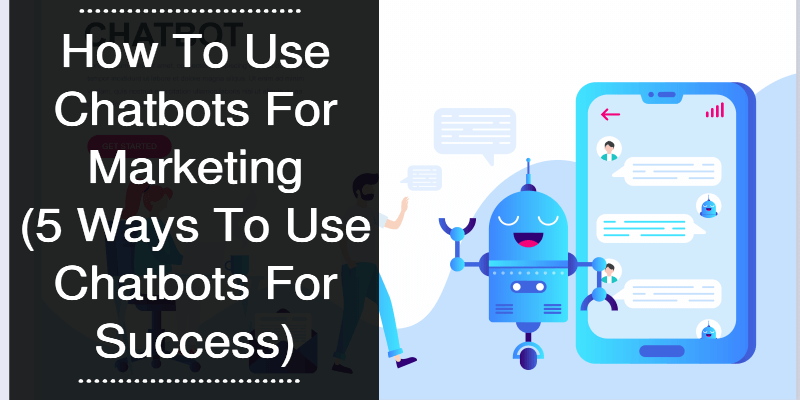
The question is how to use chatbots for marketing? Well, here are 5 top ways that you can use chatbots in your business.
1. Lead Generation And Qualification
Chatbots are generally more engaging than other methods due to the immediacy of the experience. People open messages, respond, click links, and engage with chatbots up to 10x more than with email marketing or traditional communication.
As a general rule of thumb, even skilled email marketers are lucky to get 30% of their followers to open an email when they send a message to their list of email subscribers!
Compare that to a custom-made chatbot which takes only 5 minutes to create and it becomes clear why everyone should be creating chatbots.
Even the most beginner of newbies can get a 75% or higher open rate when they get a chatbot to deliver their marketing message! And more opens or engagement means more leads, and eventually sales.
And you can also use bots to qualify leads for you!
2. Answer Basic Questions For Website Visitors
This is one of the most useful and popular ways to use bots and can take a lot of work off your hands, as well as a host of other benefits.
When visitors come to your site, they’ll want to ask questions about your products or services. If they can’t find those answers, they may leave and will probably never come back resulting in lost sales for you.
Helping your potential customers is a priority, but that can be difficult if you are a solo entrepreneur or small business.
And this is where bots can come in and really help you enhance your potential customers experience.
You can set up a bot to emulate live chat and talk with your customers. And you may be surprised that visitors actually like this experience, IF they are set up correctly.
3. Enhance The Sale Process
What if someone visits your website, engages with your chatbot, but then leaves without making a purchase?
You can use that interaction via the chatbot and perhaps follow up with a special offer or discount email to try to persuade your prospect to come back and buy!
Thanks to email autoresponders, you can set up your system to email the discount to all customers who interact with the chatbot and fail to purchase. Those prospects will be surprised and pleased that you noticed, remembered and pursued them, and they just might come back to buy your product or service.
4. Personalisation
It’s no secret that customers love personalization across the board, so, if you’re not providing that customized experience, you could be losing out to your competitors.
It’s a lot easier than it seems to use bots for personalization. You can use questions and quizzes to gather data about your prospects, and then use that data to communicate information and offers that are relevant to them.
Make no mistake, a little personalisation goes a long way!
And FB Messenger bots, in particular, really shine in this regard. If you want to learn to take advantage of Messenger bots, take a look at a course called Destiny by JayKay Dowdall, probably the best and most affordable course on Messenger bots available.
5. Improved Customer Loyalty
If you implement and use chatbots along with your email marketing via your autoresponder, this can have a number of positive effects, including a noticeable improvement in customer loyalty.
Imagine how your customers will feel if you were able to provide 24/7 support, respond to their Facebook comments immediately, send them follow-up emails with incentives, and offer them quick, convenient answers to questions whenever they stop by your website.
Couple this with high quality products or services, this kind of interactivity and engagement can create a powerful bond between you and your customers and shouldn’t be underestimated.
OK, there you have 5 ways to use chatbots in your marketing for 2019 and beyond. Which one will you start with?
And don’t forget that if you want to learn how to set up and succeed with FB Messenger bots, then take a look at Destiny(you won’t regret it)!
Almost there! Please complete this form and click the button below to gain instant access.
Yes! Send Me The PDF Version!
This post looks really good but I'm in a hurry right now. I'd like to get the PDF version of this blog post sent to my favorite inbox so I can save and read it later - please send it here:
Don't worry, we don't like spam either, and you email adress will be safe.
Want to increase conversions on your landing/sales pages?
This post looks really good but I'm in a hurry right now. I'd like to get my FREE Conversion Boosting checklist sent to my favorite inbox so I can save and read it later - please send it here: